New: Workflows 2.0, with branches and test runs
Answer every customer. Drop nothing.
One workspace for the inbox, the forms, and the workflows behind them, so a small team can keep every promise it makes to a customer.
Free for 14 days
No card required
Cancel in one click
Trusted by teams at
Brightwater Dental
Lark Logistics
Fernhill School
Moss Lane Bakery
Arden Legal
Tidal Labs
Why teams switch
Everything a small support team needs, in one place
No add-ons to buy later and no per-seat surprises at checkout. Every plan gets every feature.

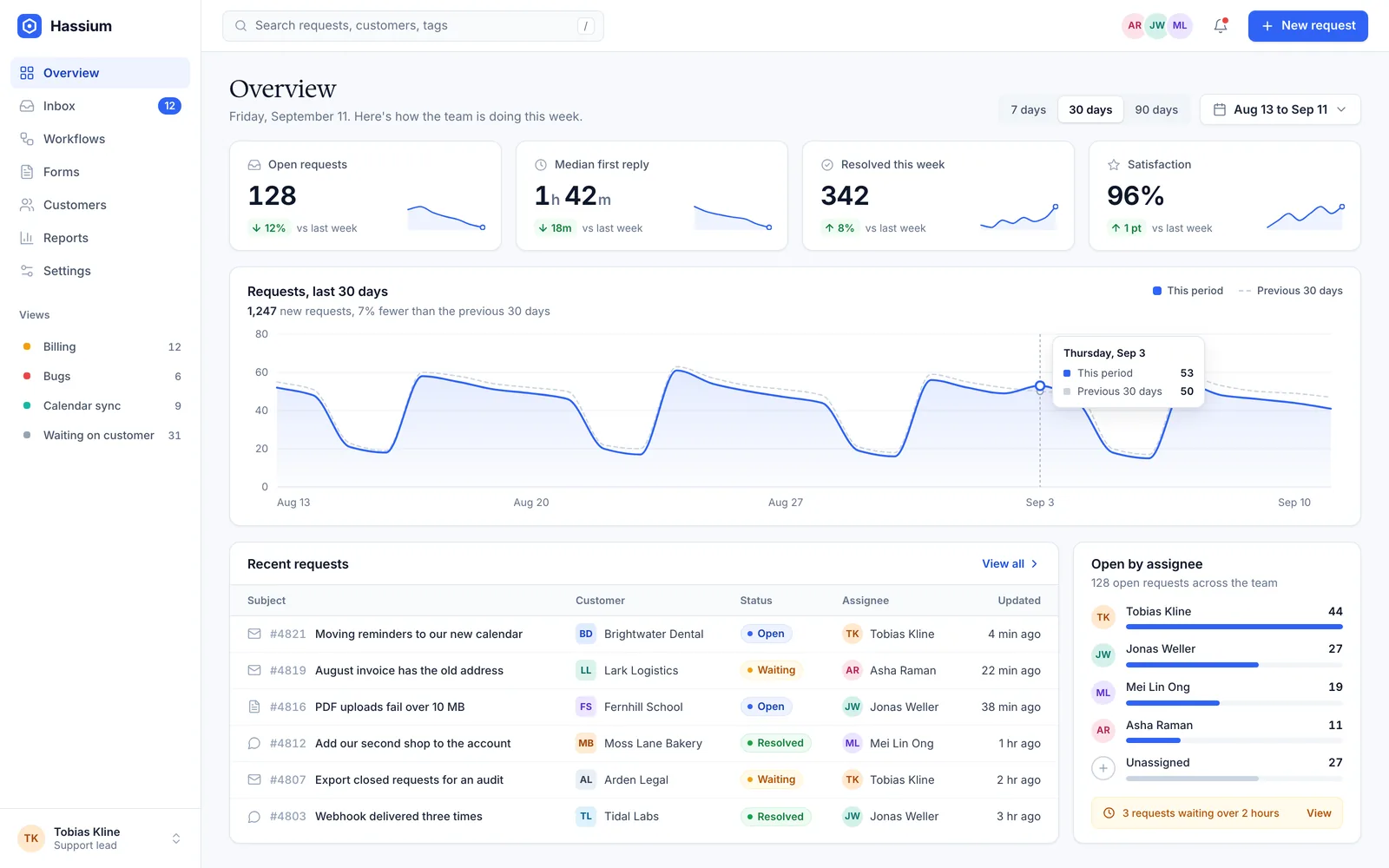
Shared inbox
Email, chat, and form replies land in one queue, with owners, tags, and notes only your team can see.

Workflows
Route, assign, remind, and close with rules you can test on last week's requests before they go live.

Intake forms
Ask the right questions up front and every answer becomes a request with the details already filled in.

Customer timeline
Every request, reply, and order for a customer on one page, so nobody asks for the same thing twice.

Reports
First reply time, backlog, and satisfaction by team or tag, with the requests behind every number.

Integrations
Connect chat, email, calendars, and payments, or send anything to a webhook in a few lines.
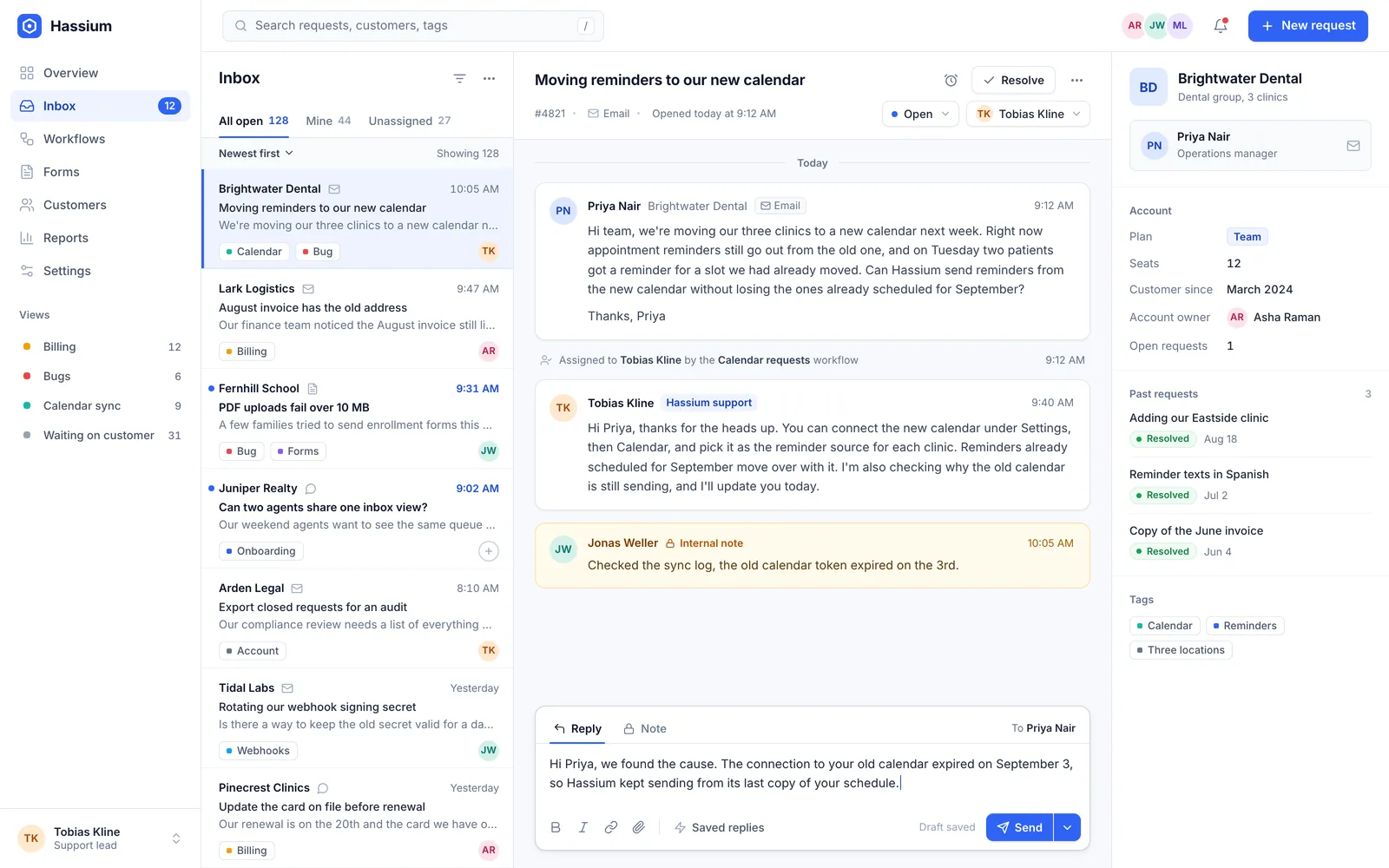
Shared inbox
One queue for every way customers reach you
Email, chat, and forms arrive in the same list. Assign an owner, leave a note only your team can see, and snooze a request until the customer writes back.
- A warning when two people open the same request
- Saved replies with the customer's details filled in
- Views and tags for every team
Workflows
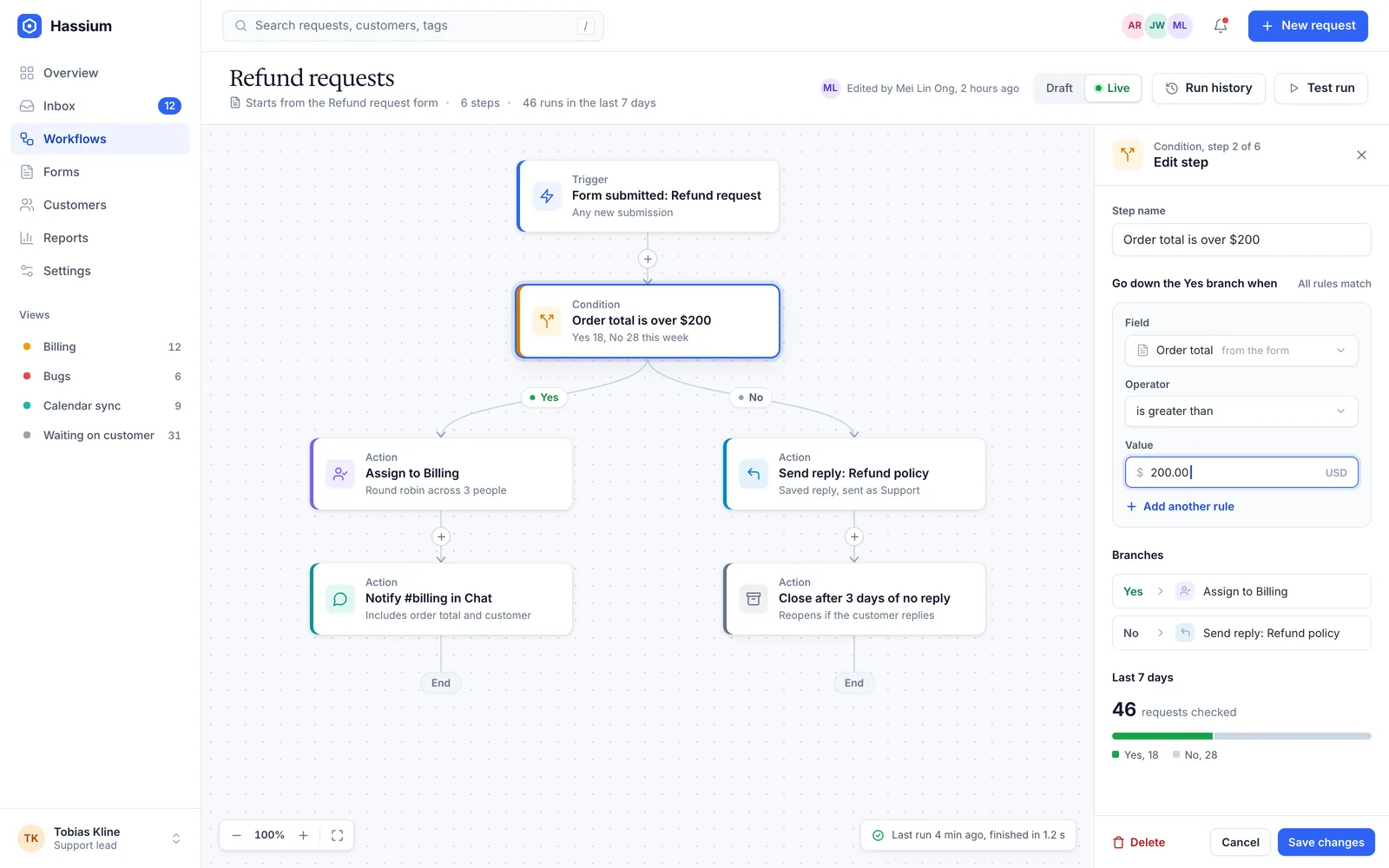
Rules you can test before they touch a customer
Build a workflow from triggers, conditions, and actions, then replay it against last week's requests to see exactly what it would have done.
- Branches, delays, and approvals
- A test run on real history before you publish
- A log of every step that ran, and why
Customers
Small teams, fewer dropped balls
We run nine clinics with four people on the front desk. Hassium is the reason appointment changes stopped slipping through the cracks.

Priya Nair
The refund workflow alone gave us back a day a week. We tested it on a month of old tickets before we switched it on, and it did exactly what the test said.

Daniel Osei
Parents write in by email, through the website, and on the phone line. Now it all lands in one place, and every reply still sounds like us.

Hannah Vogel
Pricing
One price per team, not per seat
Every plan includes every feature. Pay monthly, or pay yearly and get two months free.
Starter
$29 per month
- Up to 3 people
- Shared inbox and intake forms
- Five active workflows
- Email support
Most popular
Team
$79 per month
- Up to 15 people
- Unlimited workflows and test runs
- Reports and the customer timeline
- Chat and email support
Business
$199 per month
- Unlimited people
- Single sign-on and an audit log
- Data kept in the EU or the US
- A named support contact
Questions
Before you sign up
Do I need a card for the trial?
No. You get every feature for 14 days. When the trial ends your workspace pauses until you pick a plan, and nothing is deleted for 60 days.
Can I bring my existing tickets?
Yes. Import from a spreadsheet or from most help desks in a few minutes. Hassium keeps the original dates, tags, and authors.
How is pricing counted?
Per workspace, not per seat. Each plan covers a number of people, and Business covers everyone at no extra cost.
Where is my data stored?
Starter and Team workspaces are hosted in the US. On Business you pick the EU or the US when you sign up, and backups stay in that region.
What happens if I cancel?
You keep access until the end of the billing period, and you can export everything as a spreadsheet at any time.
Your inbox, only calmer
Start a 14-day trial with every feature. Most teams move their first queue over in an afternoon.
No card required
Cancel any time